Pick the shop and the question
Use a brand-overview query, a competitor comparison, a pricing-style question, or paste a custom prompt — including ones from the prompt gallery.
Run a controlled automotive discovery query against one configured provider at a time. Repeat the same query to compare evidence.
Pick the query and provider. SocialCRM stores the returned text, model, mode, evidence, and evaluation state.
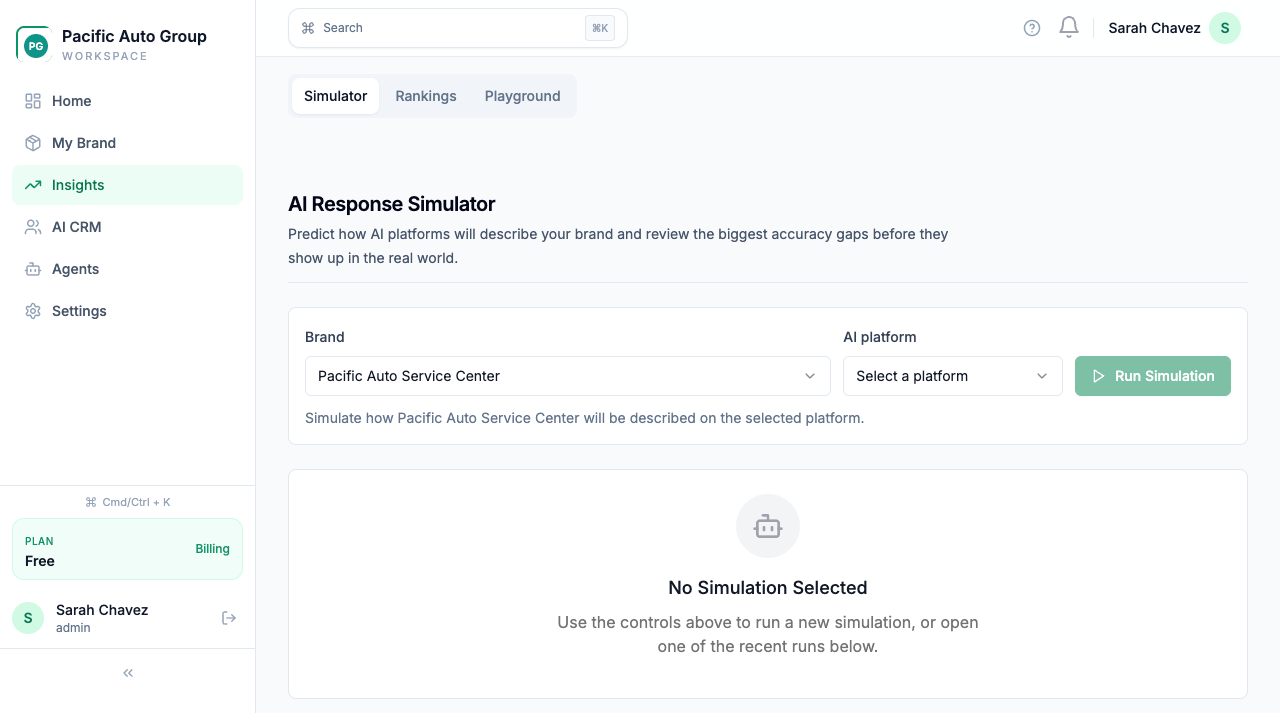
The available checks depend on provider credentials configured for your workspace. Other consumer and search surfaces, and shopping assistants, are landscape references only.
9 provider and search surfaces — 5 provider API checks, 4 landscape references, plus shopping assistants

AI Overviews
Google · Landscape only

AI Mode
Google · Landscape only

Copilot
Microsoft · Landscape only

Perplexity API
Perplexity · Provider API check

OpenAI API
OpenAI · Provider API check

Anthropic API
Anthropic · Provider API check

Gemini API
Google · Provider API check

Meta AI
Meta · Landscape only

Grok API
xAI · Provider API check
AI Overviews
Google · Landscape only
AI Mode
Google · Landscape only
Copilot
Microsoft · Landscape only
Perplexity API
Perplexity · Provider API check
OpenAI API
OpenAI · Provider API check
Anthropic API
Anthropic · Provider API check
Gemini API
Google · Provider API check
Meta AI
Meta · Landscape only
Grok API
xAI · Provider API check
Use a brand-overview query, a competitor comparison, a pricing-style question, or paste a custom prompt — including ones from the prompt gallery.
The organic probe asks the provider API without shop context. The readiness probe includes the approved profile. Both modes stay separate.
Each run stores the response, whether you were mentioned, your position, competitor names, sentiment, and an accuracy score.
Issues and suggested copy land on the same run. After you update the shop profile, run it again and compare the score.
Illustrative. Your run shows the actual model text, plus mention, position, and issues — not a summary card pretending to be the answer.
Compare an organic provider API probe with a grounded readiness probe. Do not present either response as a consumer-app capture.
Brand overview on Starter. Competitor and pricing-style queries on Pro. Custom prompts when you need a specific service or make.
Each response is scored on factual accuracy, completeness, clarity, and brand alignment — plus the issues the judge flagged.
Whether you were named, how early, how often, which competitors showed up, and the sentiment of the write-up.
Pro workspaces get improvement suggestions with current vs. proposed copy, so the next simulation has something concrete to test.
Runs stay scoped to the selected shop. Switching locations never mixes another shop's results into the view.
Start from a real driver prompt in the prompt gallery, or open the tool in the dashboard after signup.
AI Simulator
AI Monitoring
When AI represents your shop, the data behind it has to be locked down. The controls are in the product and documented for your team.
The details, in writing:
Start with one available provider. Full Simulator runs use only the credentials configured for your workspace.
No credit card to start